
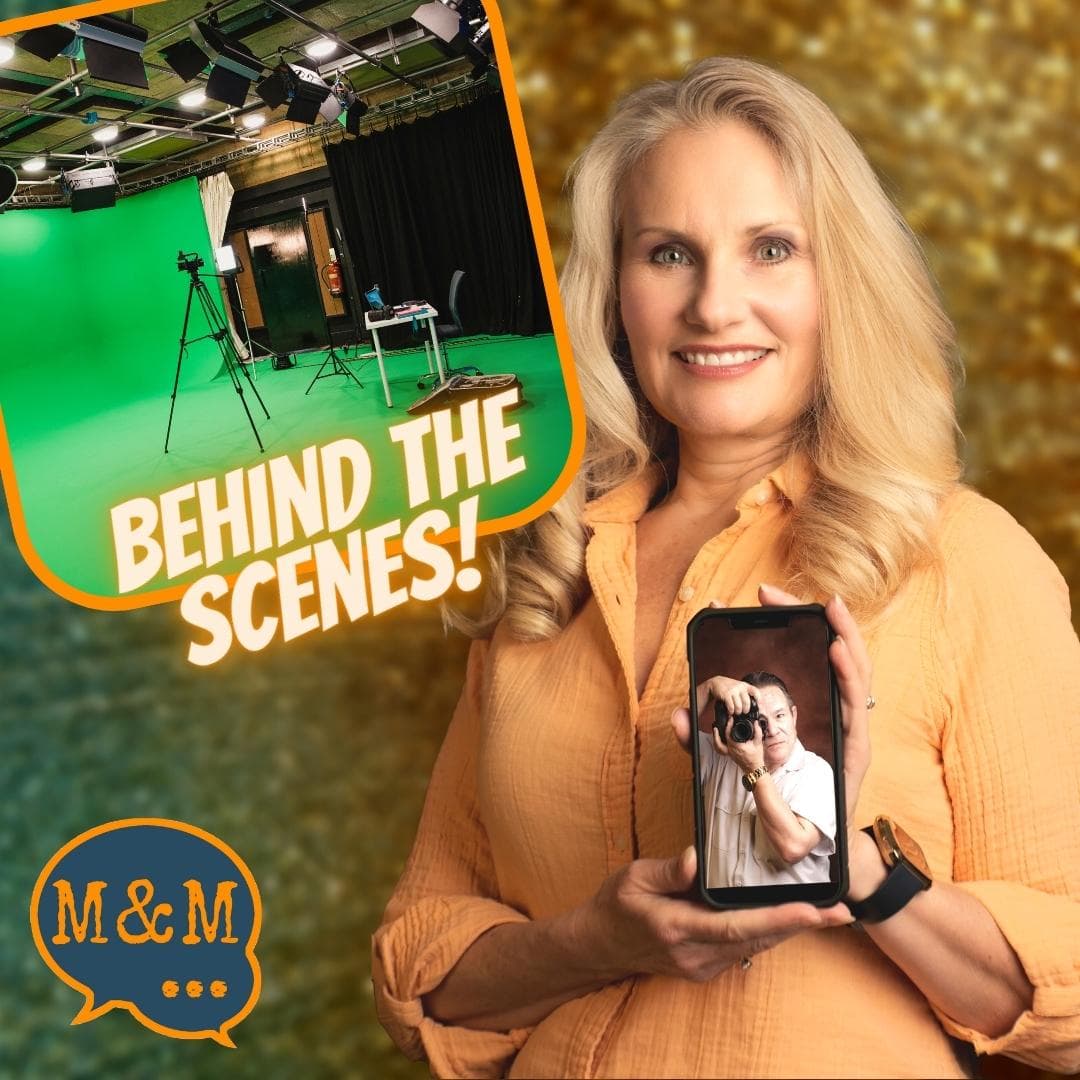
How does a weekly livestream come together? What goes on behind the scenes to produce our shows and how do we stay consistent?
https://anchor.fm/s/5ecf4168/podcast/rssTake whatever is in your sphere of interest, and you can turn that into a YouTube channel. There’s a world of technology that exists today. That is easily and readily available that you can take advantage of in order to take whatever you think, whatever you believe, whatever you hope for, and communicate it to the rest of the world. Here’s the great thing about that: the rest of the world is waiting for what you have to say.
Quote from the Livestream
Often I’ll say to our audience, I do four shows a week. You certainly can do one show a week.
In this post, we’re going to talk about the four shows a week that we do, how we do them, and what goes into creating each one of those shows.
Let’s start off with our studio. It’s a spare bedroom in Toby’s house.
We have painted the back wall Hollywood Green or Chroma Key Green.
Streamyard and Zoom give us the capability to use the green screen to show whatever background we like.
We can change the background for every show.
Toby Younis: I’ve spent tens of thousands of dollars creating studios for other people. Never for myself until this one. Because I always worked in the field and didn’t need a studio.
I built this studio as best I could within the limitations of time and budget because we were in a rush at the time to get this done.
Shelley and Kevin, her husband, were there to help me paint the walls, but we didn’t spend much money.
The biggest investment was the computer.
When I first put the studio together, I purchased a refurbished Dell workstation computer, and that lasted us for five years. I think I paid $400 for it.
I just upgraded. I had Shelley’s husband, Kevin, put together a new custom computer for me, for about $1300.
The second largest investment was the Rodecaster Pro 2 which runs about $700.
I bought everything on Amazon and we maintain a list of the equipment in our Amazon storefront idea list. If you’re looking for the same equipment that we use, you can shop at Studio.AGKMedia.Studio.
If you purchase something through our Amazon idea list, we’ll get a small commission from that. We put it up to make it easier for people who watch our shows to find the exact equipment that we’re recommending. You’re not charged extra for it. It comes out of Amazon’s side.
We don’t use soft boxes or ring lights. We have installed a couple of sconces up on the wall in front of us with CFLs. That gives us flat, even lighting, so we look good on screen.
Over the top of our heads, we have reflectors pointing additional light toward the green wall. So the wall is lit separately, which gives us separation from our background, and it makes the green screen effect look more realistic.
Another benefit of putting this home studio together is when one of our clients asks us to help them put their studio together. We know how to do that.
We love having it because it gives us flexibility and the capability to do a variety of shows.
Building a home studio is something you can do over time.
You can start where you’re at and add on as you have the time and the money to put it together.
We have three monitors. It took us a long time to get to where we used three monitors and now Toby can’t do without them.
We also have two Logitech webcams. One is not always hooked up. But we can use it if we want to do shots of our hands or display something on a table.
If you wanted to do a craft or demonstrate something close up, then the second camera comes in handy for that.
Not all livestreaming cloud-based products support multiple cameras.
Streamyard can use two cameras to present your show.
It helps to have a second camera focus down on the desk to give you that additional look for your viewers.
We have four YouTube channels we work on every week.
Shelley Carney, Livestream Coach, is the channel and the show I call Livecast Lifestyle. That’s on Wednesdays at 4 pm Mountain Time.
Wednesday evenings at 7:00 pm we have New Mexico Day Trips, which is a travel vlog.
Thursday mornings at 11 is Women Conquer Business, with Jen McFarland. We talk about marketing how-tos.
On Messages and Methods: Livecast Life 2.0, we direct our focus toward livecasting as a lifestyle and people who are in the second half of life, or life 2.0.
New Mexico Day Trips is all about travel throughout New Mexico.
Toby Younis: We’re up to around 60 videos on this channel and we’re having a good time producing them, but it’s a very different style for us. It requires fieldwork, which I really enjoy doing because that’s where my career led me.
There’s a lot of recording footage, then we do some editing to give the audience a comprehensive look at the places we’ve explored.
Messages and Methods is the channel where we help others in our age group, encore entrepreneurs, to learn these tools and technologies. They can take advantage of these tools themselves, whether they want to do a vlog YouTube channel, or a business-oriented kind of channel.
Shelley is a certified coach, but she’s also an expert in the technologies and applications that help you achieve your content marketing objectives. She has the benefit of doing the things that she talks about.
Each show has a workflow that differs from the others, but we set them up at the same time. That way, all four shows can be produced on Wednesday and Thursday every week.
The Shelley Carney livestream workflow includes coming up with a topic, a title, and a description, creating thumbnail graphics, and scheduling the show.
Scheduling simply means scheduling it into our Streamyard account so that it goes live at a certain time on a certain day.
All our content starts with a livestream.
Then I create slides and I may include a screencast or screencaps if I’m doing a demonstration.
Then I give my live presentation.
After the presentation, I create the show notes. I will find a quote. I’ll add any links and timestamps and put them into the description for the YouTube channel.
I take the transcription and edit that into a blog post.
I also create short clips from the video.
Toby Younis: The New Mexico Day Trips workflow is different because it doesn’t all take place in the studio.
I’m responsible for planning our travel at least a week ahead.
I’m constantly looking at a plethora of books and other travel products on YouTube to see what other people are doing and where they’re going.
I’m surprised at how many places people have already visited, but considering the location, they share little information about it.
We will give you all the details. For instance, we not only drive through White Sands, but we also walk the boardwalk, go through the gift shop, talk about the visitor’s center, and provide some history and biology information.
For the field recording portion, we’re recording video, images, and audio. The video includes time lapses, drone, and driving footage from inside and outside the vehicle.
Recently we’ve been adding outdoor meal prep, cooking, and eating which seem to be popular with many travel vlog channels. We carry a clear plastic tote full of things to prepare a meal out in the field.
We bring all of that content home and I handle the editing.
I’ve gotten to where I can edit the content necessary for a show on the day the show runs.
I know that sounds crazy, but I’ve done this my entire career. I know exactly what we need to collect and how to put it together.
When I get back from our trip, I categorize the content into different folders.
I don’t need a storyboard or a script. The format is already in my head, so I can start putting it together from the clips that we’ve collected.
Shelley and I are very good at collecting more content than we could ever use in one show.
The equipment we’ve selected for field recording fits in a 30-gallon size plastic tote.
The equipment has improved, so it’s not a cumbersome effort.
I carry two compact LEDs that have their own lithium batteries inside of them in case we ever need light for an interview.
Our interviews are now recorded with an iPhone. The video graphics technology on a smartphone is equivalent to the cameras I was using 10 years ago that weighed 20 pounds.
So now, instead of carrying a 20-pound camera and all the ancillary equipment, you carry a smartphone and a wireless audio transmitter and receiver.
A transmitter and two receivers are in a package about the size of a sandwich.
I upload the completed travel video. We put that on a separate YouTube playlist. Then we livestream a show around that video and we tell stories. We get to tell the stories about what happened to us and how we got there and what hotel we stayed in or how the drive went.
People can tune in and chat with us and ask questions about the location, the history, the drive, or whatever interests them most.
It’s the most enjoyable channel for me because I get to use my experience and expertise of being in the field. It’s rewarding for me.
It gives me a reason to get up in the morning.
Shelley Carney: For Women Conquer Business with Jen McFarland, we come up with a topic, the title, and the description for that week’s show together.
Jen will usually create the thumbnail graphic, and I will schedule the show in Streamyard.
We work on the show flow together before we go live on Thursday mornings.
We have the same show flow format each week where we start with a chat, breaking news, training, a call to action, and a tweak of the week, where we talk about a tool or software that’s making our lives easier. Then we end with some inspirational quotes and sign off.
We fill out that show flow. We do our live presentation together. Then Jen finishes up with show notes.
I create the transcription, pull out a quote and timestamps, and Jen adds links.
It is a partnership effort.
Then I create short clips we share on social media throughout the rest of the week.
Messages and Methods has the same workflow as Shelley Carney Livestream Coach, except that sometimes on Messages and Methods we have a guest and we use a guest workflow.
We go through periods of having guests on and then taking a break from that and doing our own presentations. That way, we can focus on themes that we want to discuss more fully.
This year we started with a theme of digital marketing, and we had expert guests. We asked a lot of the same questions in that theme and found we received similar answers from everybody.
Then we got into SEO and websites.
We learn a lot from our expert guests and we hope our audience does as well.
The podcasts that we create from our livestream shows include Shelley Carney Livestream Coach, Women Conquer Business, and Messages and Methods.
After our livestream show, we download the video and audio files.
We upload the video to Anchor.fm, and they distribute it to Spotify and separate out the audio for other podcasting platforms.
Spotify owns Anchor, and they accept and display video podcasts. If you’re a Spotify user and you want to listen to audio-only, Spotify will make that available. If you want to watch the video, you can also do that on Spotify.
So if you’re looking for a great podcast to listen to every week about digital and content marketing for your small business, you can find these three podcasts on all podcast platforms.
We create blogs from our livestream shows by creating a transcript of the audio that we’ve done and then editing that into a blog post. I use the titles and bulleted lists from the slides to enhance the blog post.
We have one for Shelley Carney Livestream Coach, and one for Messages and Methods.
Toby and I have been talking about it, and he’s volunteered to put together a travel blog for the New Mexico Day Trips show. We’ll share our travel stories and photos from our trips.
Toby Younis: I think it’s appropriate for me to do the blog for New Mexico Day Trips because the structure for the show is already in my head. I know how to write that story.
We create newsletters from our blogs.
Shelley Carney: I’ll take information out of each of our blogs and combine them into a newsletter.
Each long-form piece of content that we do every week is broken down from a live stream to a blog post to a newsletter, then to social media posts.
I create a LinkedIn newsletter every Monday. It’s called Messages and Methods and you can find it at LI.ShelleyCarney.com.
We send out an email newsletter on Tuesdays.
We use a portion of the LinkedIn newsletter and add that to our email newsletter along with all the information about our upcoming shows for that week.
We include a helpful blog post or article about content creation in our email newsletter to help our readers enjoy a more well-rounded piece of content.
Signup for our weekly newsletter at News.AGKMedia.Studio.
We set the content website to update automatically.
As we publish content, the RSS feed is ingested into the content website and it keeps updating every week.
You can find our content website at messagesandmethods.com.
If you want to see our videos, podcasts, or blog articles, you can find it all there.
Shelley Carney: If you’re interested in how I did this, I share the information in a video called How I Built My Video Podcast Website.
Descript gives me a really easy way to create short video clips from our long-form videos.
We’re already using Descript to transcribe our shows, and we can use it to edit videos and put them into different shapes.
I can take a clip from our show, leave it in the regular video shape, 16 x 9, add captions and share it on Facebook and LinkedIn.
Then I can make it square and adjust the picture to make it square, add captions and share that on Instagram, LinkedIn, and Twitter.
Then I can adjust it to a portrait format, put the captions on it, and share it as a Reel and a YouTube short.
That will help people who are on those platforms to find us and direct them toward our YouTube channel.
The next step is to use a social media scheduler to send out your video clips and your promotions so people will go find your long-form content.
I use three different social media schedulers.
The first one is Social Web Suite, and it is the most automatic one. All I do is set it up once with the RSS feeds from all the blogs, podcasts, and YouTube video playlists.
If we have a variety of content on a channel, I can just use one playlist as the product to ingest.
Every time we publish content, Social Web Suite ingests it.
Then I designate where I want it sent. All our social media sites.
Social Web Suite automatically brings in the RSS feeds and the playlists from YouTube and it sends it out to all those social media properties.
Another social media scheduler we have is Missing Lettr.
We purchased all of our social media scheduling apps through AppSumo.
With Missing Lettr, I don’t have the full package. I have the lower-level AppSumo package.
Our Messages and Methods blog goes in there whenever I publish it. Then it sends me an email to set up our social media posts.
I have to open the app and choose the length of the campaign. It can vary from 12 months, six months, two months, or two weeks.
I usually choose a two-month blast which is 14 posts. It asks for hashtags and it’ll tell you if it’s a popular hashtag or not. So you can determine which hashtags you’re going to be using for your blog post.
Then you can put in additional images. You can use your show’s thumbnail image and you can use other images, from Pexels or Unsplash, that represent what you’re talking about in that blog post.
The third part is quotes, and it will pull sentences out of your blog post and offer them for you to choose. You can change them if you like.
Set those up and then it automatically puts them in your calendar and sends them out.
Then another thing that I’ve added to Missing Lettr is the Curate feature.
You get to choose which post you want to share with other people who use Missing Lettr.
There are other people who are also writing about content marketing and they will put their posts into Curate. I will share their articles and they will share my articles so that we widen our audience.
The third social media scheduling app is FeedHive.
FeedHive is not automatic.
You have to upload each piece and tell it where and when you want it to post.
It requires your input but does things the others don’t.
It will send posts to Google My Business, Instagram, TikTok, and Pinterest.
Instagram Reels is popular right now, so if you’re making portrait video clips, that’s an excellent way to schedule them. Just put them into FeedHive and you can have the same one go out whenever you choose.
Once you’ve uploaded it to FeedHive, it’s in there so you can keep sending it.
I enjoy using all three social media schedulers together to get the most out of each one.
What show would you produce if you were going to produce a show?
We do four shows a week, but we started with one.
You can do one.
Would you do presentations? Presentations are great if you have a lot of information you want to share.
Would you do interviews? Interviews are fun because you get to learn from the guest and it’s like recording a conversation that you’re having as you’re getting great tips from them. You’re just recording it and then sending it out. That’s a great way to build a show.
Then there are travel vlogs or field recordings where you go out, gather the recordings, and then come back and edit them into a complete video.
You can do screencast training. If you want to teach people how to do things on the computer, you can do screencast recordings and put those up as training.
Take whatever is in your sphere of interest, and you can turn that into a YouTube channel.
If you travel, you can make that a YouTube channel.
If you have a hobby, you can make that into a YouTube channel.
If you have an avocation or there’s something that’s special to you, that could be your show.
Then, because you’ve made a YouTube channel out of it, you can make a podcast, a blog, and a LinkedIn newsletter out of it.
One thing that happens once you join this community of YouTubers is you form an additional social network that goes beyond the YouTube channel.
There are lots of opportunities.
You want to know why you’re doing it because if you don’t know your mission, you will not have enough reasons to keep doing it.
If you want to do your own show, we offer coaching and training, consulting, done-for-you production services, and courses to help you get started.
We offer
Livecast Lifestyle Implementation Program
We have an implementation program that takes you from zero all the way to a complete content marketing and email marketing strategy in place for your business. Get the Livecast Lifestyle Implementation Program at program.agkmedia.studio.
How to Create, Publish, and Distribute Content Consistently
If you’re already creating content, but you’re not being consistent, get the course, How to Create, Publish, and Distribute Content Consistently, at course.agkmedia.studio.
Schedule a video chat with us at consulting.agkmedia.studio. We would love to hear your vision for your content marketing, content creation, a show you want to do, or an idea you have for a podcast.
We’ll have a video chat. We’ll listen to all your ideas and we’ll help you get some clarity on your next steps and how to get that started. That’s a free service we offer all of our viewers, our listeners, and our readers because we want you to succeed in your dreams.
There’s a world of technology that exists today that is easily and readily available. You can take advantage of it to take whatever you think, whatever you believe, whatever you hope for, and communicate it to the rest of the world.
The great thing about that is the rest of the world is waiting for what you have to say.
Join Shelley and Toby for a tactical meeting of the minds to discuss the most effective and efficient content marketing strategies for encore entrepreneurs.
Are you struggling to create and convert leads? Are you overwhelmed when you think about how you can stand out in the online market?
This show is for you, the encore entrepreneurs, coaches, consultants, thought leaders, and speakers – how do you gain visibility and credibility online so your ideal clients hear your message and reach out to connect with you? Expert livestreamers, Shelley Carney and Toby Younis of AGK Media Studio provide tips, tools, and strategies for creative, fun, and effective content marketing through weekly livestreaming, podcasting and blogging.
Visit with us live every Thursday to ask questions and solve problems related to creating consistent quality content to promote your brand and business.
Find more information and our content archive at https://messagesandmethods.com/
Livecast Lifestyle Implementation Program http://program.agkmedia.studio
Get our fabulous new short course and learn How to Create, Publish and Distribute Content Consistently. Go to http://course.agkmedia.studio to get it now.
Schedule a free consultation now at http://calendar.AGKMedia.Studio
Sign up for our weekly newsletter so you don’t miss out! http://news.agkmedia.studio/
Buy our new books, “Livecast Life” and “Women in Podcasting” here: http://books.agkmedia.studio
The Content Consistency Framework and Schedule infographics: http://framework.agkmedia.studio
#livestream #behindthescenes #podcast
— Send in a voice message: https://anchor.fm/messagesandmethods/message