
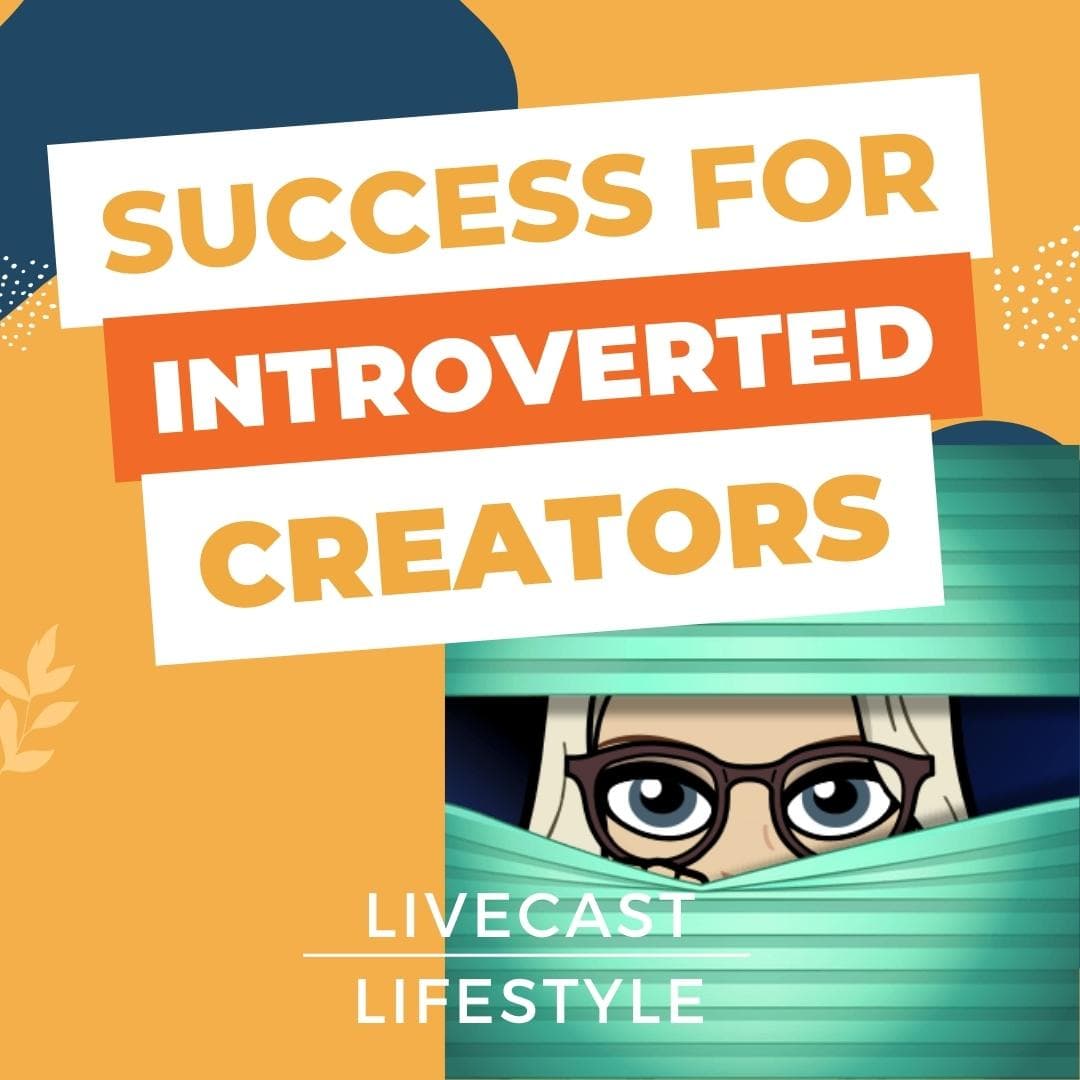
When we think of an introverted creator, we imagine a writer sitting at their computer all day producing blog posts, newsletters, and books, but otherwise living anonymously.
In reality, many online personalities and coaches are introverts, but they’ve learned the strategies that capitalize on their strengths while protecting their energy and providing for their needs.
I’m an introvert myself and I’ll share with you the Top 7 Strategies for Livestreaming and Podcasting to grow your online business while enjoying the benefits of working from home.
The brain uses 20% of the body’s energy, mostly for monitoring our environment. That means if we keep our environment comfortable, we can save some energy for productivity to build our business.
Stress affects memory, and brain functions, and anxiety promotes inflammation, which adversely affects health. Keeping stress and anxiety low means we stay healthier and more energetic.
Establish some control over your situation by creating habits and routines that increase predictability and comfort.
Use strategies to help manage your workload such as a framework of tasks that you schedule on your calendar and work through each week.
Anticipate and plan for stressful events. When we feel prepared for livestreams, networking, taking a trip or whatever event causes stress for us, we can manage the stress better.
Stick to routines including a sleep schedule. Having healthy habits and routines, like journaling, meditation, and exercise, keeps us balanced and provides ways to release stress.
Getting great sleep often depends on going to bed and getting up at the same time every day and adding sleep hygiene habits to our bedtime routine.
A helpful sleep strategy is the 3-2-1 method.
Anybody can become a content creator, whether they are introverts or extroverts. It just takes planning.
There are some common traits of the introvert. Most of them are a perfect fit for creators who want to access their creativity consistently.
Comfortable at home
Introverts are most comfortable at home where they feel relaxed and focused.
Enjoys solo activities
Introverts enjoy thinking and working alone. They don’t have to deal with interruptions or worry about being overshadowed by co-workers.
Desires control over interactions
When we do need to work with others, if we can do it by phone or video conference, then we know we can end the interaction whenever we choose. This gives us confidence that other people won’t push us past our limits, invade our privacy, or suck away our energy.
Familiarity and predictability inspire confidence
When we know our schedule and we have built our skills to the point where it is easy to accomplish our work, we feel prepared and comfortable. Then we have the confidence to tackle a little extra when it comes up.
Hopes for business growth
We hope for business growth but we know that hope is not a marketing plan. Making growth happen may require collaboration and other energy-draining strategies. That takes planning and preparation.
Wants to share knowledge and advice
When we discover strategies and helpful hacks, we want to share them with others and feel that we matter and our ideas make a difference.
Many of the benefits of becoming a content creator and entrepreneur fit in perfectly with the character and comfort zone of the introvert.
No in-person networking – work from home
During the pandemic shutdown, everybody had to adopt a work-at-home lifestyle. As an introvert, I was happy and comfortable and preferred networking online. There was no commute, the environment was controlled and I could click off at any time.
Content creators can set up an in-home studio and complete all their work, networking, collaboration, outreach, and planning in a comfortable, safe environment.
Start now and grow into it
We don’t have to wait for permission or help to get started. We can watch videos or courses online and start our content creation business with what we already have on hand. Then we can improve and add as we learn and grow.
Share your knowledge on your terms
If we want to post short Reels or TikTok videos every day or do weekly livestreams on YouTube, that’s our choice. We can share as much or as little as we desire. We can write a blog post or create a video or podcast, or even do all three.
Efficient workflow is predictable
When you use a framework and schedule it helps you stay confident, consistent, and creative. It helps you conserve energy because it becomes a part of who you are.
Gain online visibility and stay competitive
Even a beginner can compete with other creatives online by using the strategies to share content consistently.
Becoming visible with quality content and helpful topics means we become visible and credible at the same time. Soon, we are associated with the topic or industry we most often talk about.
No editing – quick turnaround – less to learn or go wrong
With the livestream video first framework, there is little to no editing. That means we can save time and put our content out quickly and consistently.
Editing programs cost money and time to learn, so eliminating them saves us time and money while reducing the number of things that can go wrong in our workflow.
Topic of interest
Choose a topic that answers a question for your target audience.
Outline
Create an outline with five to seven main points. Each main point can be broken down into three to five bullet points.
Slides
Use a branded theme for the slides that you will use for each presentation. Use one slide for each main point and add images for visual interest and engagement. Include a summary or takeaway tip along with a call to action.
Graphics for thumbnails
Use a branded theme for thumbnails. Create them in Canva, one for the YouTube thumbnail and a square one for the podcast.
Title & description
Check the title with a headline analyzer such as CoSchedule Headline Analyzer Studio or the TubeBuddy Keyword Explorer. Write a description that contains more keywords and explains what you will talk about in your presentation. Add any links you feel are important to share.
Schedule on Streamyard
To schedule a livestream show on Streamyard, choose which platforms to stream to, and add your title, description, and thumbnail.
Leverage your time and effort by offering a free download to your audience to grow your email list. Your email list is considered “owned property.” Social media platforms are “rented property.”
Answers burning question(s)
You should know what your target audience needs most and what questions they most want to be answered. Your lead magnet should answer one or more of these burning questions to attract your target audience.
Fits with the presentation
Your presentation will lead your audience to want to know more about a specific strategy or tactic that will help them in their quest to feel better, make more money or enjoy better relationships. Your lead magnet should fit the topic and guide people further into a relationship with you.
Simple and quick to consume
Although you want to offer value, this is a free downloadable piece of content. Make it simple and quick to consume so your audience will get value from it immediately.
If it is too complicated or takes too long to consume, they will put it into a file for later and never get to it. Then they get no value from it and you’ve wasted your time and effort.
Landing page with form
Most email marketing apps offer landing pages you can customize along with a form for people to enter their names and email addresses. Then it gives them a way to download your lead magnet while adding them to your email list.
Get familiar with your landing page app so you can quickly and easily create these pages or edit them if you find they do not convert well.
Email welcome sequence
Create three simple emails that will welcome your new subscribers and offer them value and information about how they can work with you.
Set up your email marketing app so they receive the free download, then the three welcome emails, and then add them to your newsletter list.
At least once a week, offer a valuable presentation as a livestream video.
Set up in-home studio for quick & easy livestreams
Check out the video on my channel, Home Studio Setup for Video Recording and Livestreaming if you need help getting started. Once your studio is set up, it will be fun and easy to start a livestream whenever you choose.
Same time every week
Your audience will grow and show up live if they know you will be there at the same time every week. It will also help you stay consistent if you and your family know that you have committed to the livestream at that time each week.
Consistent branding and format
With Streamyard, you can set up your branded intro, outro, background, and titles and keep them the same for each show. That will help your audience recognize you whether they see your video, listen to your podcast or read your blog.
Improve as you move forward
Don’t expect your livestream presentations to be perfect. Just be sure to keep them consistent and you will get better each week.
Your audience appreciates your authenticity and enjoys knowing that they can help you improve through their comments. Allow your audience to help make your show better and more in tune with what they want over time.
Once your livestream is complete, you can download the audio and the video file to save them on a separate hard drive. That way you have control over that content.
Use audio or video from livestream
We use Anchor to upload our podcast episodes. Anchor is owned by Spotify and Spotify will share your video. Anchor will separate the audio and share that with the podcast apps that only provide audio.
If you use a different podcast app or prefer to only upload the audio for your podcast, you can do that as well.
Same title and description
Use the same title and description you wrote for your YouTube video for your show notes on your podcast to save time.
Square cover art same as YouTube thumbnail
When you create a YouTube thumbnail on Canva, you can copy and resize for a square graphic you can use for your podcast cover art.
If you upload your podcast to Anchor, they will connect you to WordPress to share your blog posts. Or if you have a website with a blog feature, you can post them there.
Transcribe audio file (Descript)
We use Descript to transcribe our audio file into text and do some simple edits there, such as deleting filler words like “um”.
Descript will also add timestamps which is helpful if you choose to add timestamps to your YouTube video for additional SEO.
Edit for clarity
It takes some practice to turn a transcript into an easy-to-read blog post. You can also use the outline and slides to provide headlines and images.
Add images and keyword tags
Images and keyword tags will add to the SEO and engagement of your blog post. You can use the images from your slides and add alt text and captions to them.
People will discover your content most often by seeing it on social media. Posting often over several weeks about each piece of content can be tedious and time-consuming, so get some tools to help speed it up.
Use a social media scheduler app
You can choose from hundreds and you can find many of them in AppSumo. The ones I use are Missing Lettr and Social Web Suite.
These are helpful because you can automate the input from your YouTube videos, podcast episodes, and blog posts. Then automate the output to your social media sites. Every week when you publish your content, posts go out automatically, saving your time and effort.
Use blog post content in a LinkedIn newsletter
LinkedIn offers extra features for creators including the ability to publish a newsletter. LinkedIn will help you invite subscribers and notify them when you post. This is helpful for expanding your reach with your content. Be sure to include your free download information to encourage your readers to get on your email list for more great content.
As you build your email list, you must send out emails to people to keep your list active and engaged. I send out a weekly email to my list every Tuesday with updates.
Share all your content links
Tell your audience what content you have published and provide links for them to see it for themselves.
Announce upcoming shows
Share the excitement of what is coming up in the next week and where your readers can find your shows. Include the graphics and links so they can easily find each upcoming show.
Offer discovery call
Make offers frequently for subscribers to work with you through free consulting calls, workshops, or offer other valuable resources.
Nurture the relationship with behind-the-scenes
Showcase photos and stories of what you’re working on or doing in your personal life to create a deeper bond with your subscribers.
After livestreaming for several months, you can put content together to create a bigger project.
Publish a book on Amazon or Lulu
Use blog post content to create chapters for a book you can self-publish. You can create the cover yourself using Book Brush or hire somebody through Fiverr to do it for you.
Online events: workshop or summit
Collaborate with other creators to build an online summit or do a workshop by yourself. You can offer the live summit or workshop for free and charge for a VIP level that includes video recordings, slides, worksheets, and other resources. Or you can offer a free workshop or webinar that leads to a paid offer.
For introverts, it takes a lot of energy to do anything that’s outside of our comfort zone. Things that are more difficult and outside our comfort zone will add more stress to our lives. Conserve your energy by doing the things that are easy and familiar and laid out in your framework while you conserve your energy for clients.
Grow your online business while enjoying the benefits of working from home
Gain visibility for your brand and business and connect with your target audience when you quickly create engaging content every week.
Grab my super efficient Content Consistency Framework & Schedule at framework.agkmedia.studio and skip the part where you have to figure it all out on your own. Simply print out these infographics and follow along each week until you’re living the Livecast Lifestyle.
Join me live on Wednesdays at 4 pm to dig deep into my soul as I share my secrets and desires with you. Add your comments and questions to keep the conversation as fascinating as possible!
Engineered by AGK Media Studio
Connect with Shelley Carney: https://www.linkedin.com/in/shelleycarney
Messages and Methods: Livecast Life 2.0 Podcast: https://livecast.life
Livecast Life: The Content Creator Lifestyle is a new book written by Shelley Carney and is now available on Amazon at http://book.livecast.life
I would love it if you would leave a 5-star rating and review (I love sharing reviews during episodes!).
Your reviews and feedback will not only help me continue to deliver great, helpful content, but it will also help me reach even more listeners just like you!
Please subscribe, share, and comment. Send me your questions so I can answer them live or in future shows at support@agkmedia.studio
Get the best-ever, fast and easy shortcut to growing your online presence and audience! The Content Consistency Framework and Schedule gives you the perfect foundation for your content entrepreneurial business. Find it at: http://framework.agkmedia.studio
Sign up for our weekly newsletter so you don’t miss out! http://news.agkmedia.studio
#SuccessStrategies #introvert #podcast
— Send in a voice message: https://anchor.fm/shelley-carney/message